
A form submit is not a sale
Meta counts the order form as a result. On cash on delivery, a good share of those people never pick up the phone, or say no.
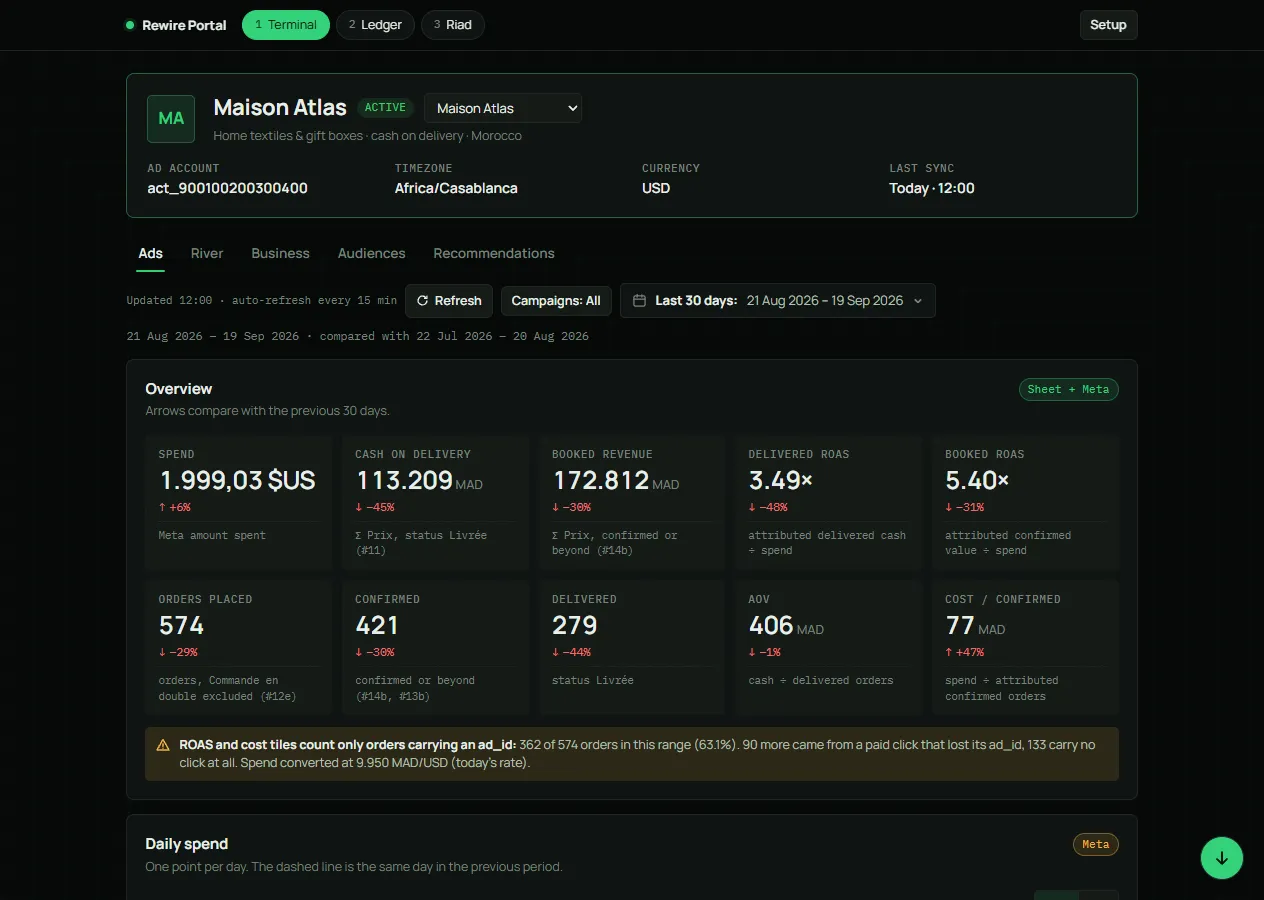
All the screenshots on this site come from Maison Atlas, a made-up brand. No real client’s numbers are shown.
A form submit is not a sale
Meta counts the order form as a result. On cash on delivery, a good share of those people never pick up the phone, or say no.
Meta's ROAS is not cash
It is built on the value of the orders, not on the money collected. Parcels get refused at the door; returns come back.
Two tabs and a calculator
Ads Manager in one tab, the order sheet in the other. Nobody can do that every day, for every ad.
The Portal joins the two. Next to each ad’s spend, you see the orders it really brought — placed, confirmed, delivered, cash in hand. So you see the only ROAS that pays the bills: delivered cash ÷ spend, ad by ad.
Spend next to orders placed, confirmed and delivered, and the cash, for every campaign, ad set and ad. The spend matches Ads Manager to the cent.
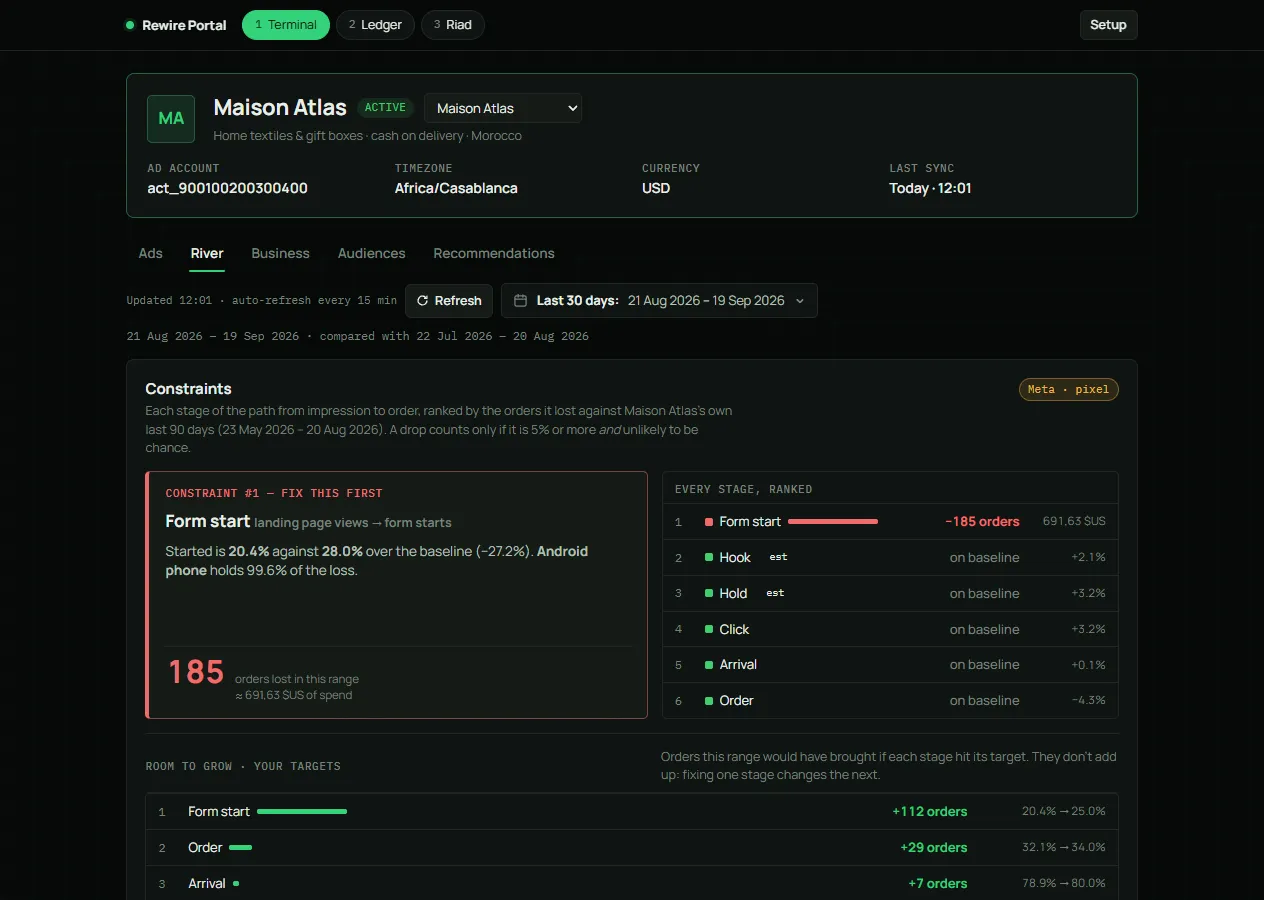
Every step from the ad to the order, compared with your own last 90 days and ranked by the orders it lost. The one thing to fix this week is at the top.
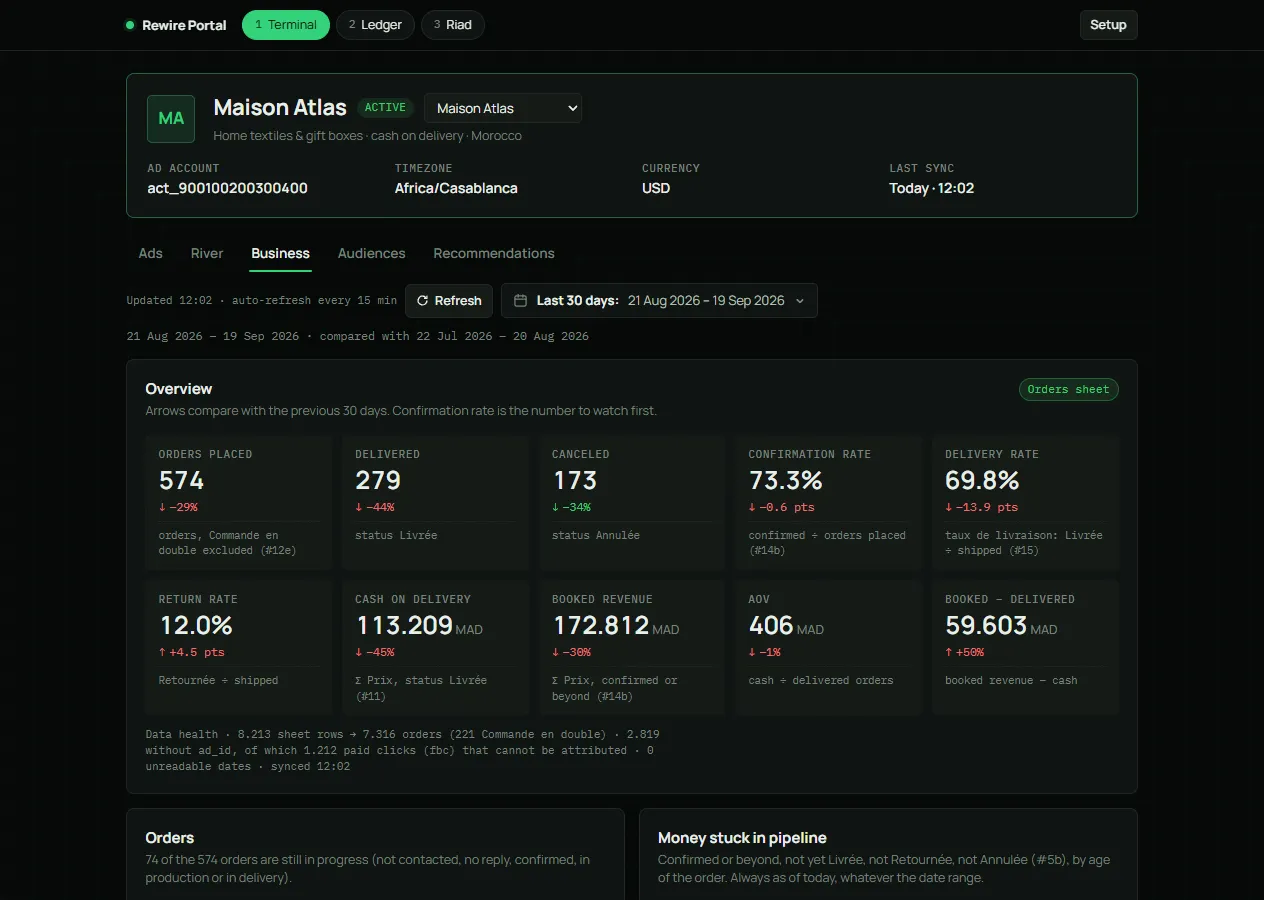
Confirmation rate, delivery rate, cash collected, money still with the courier, why orders are lost — by city and by product.
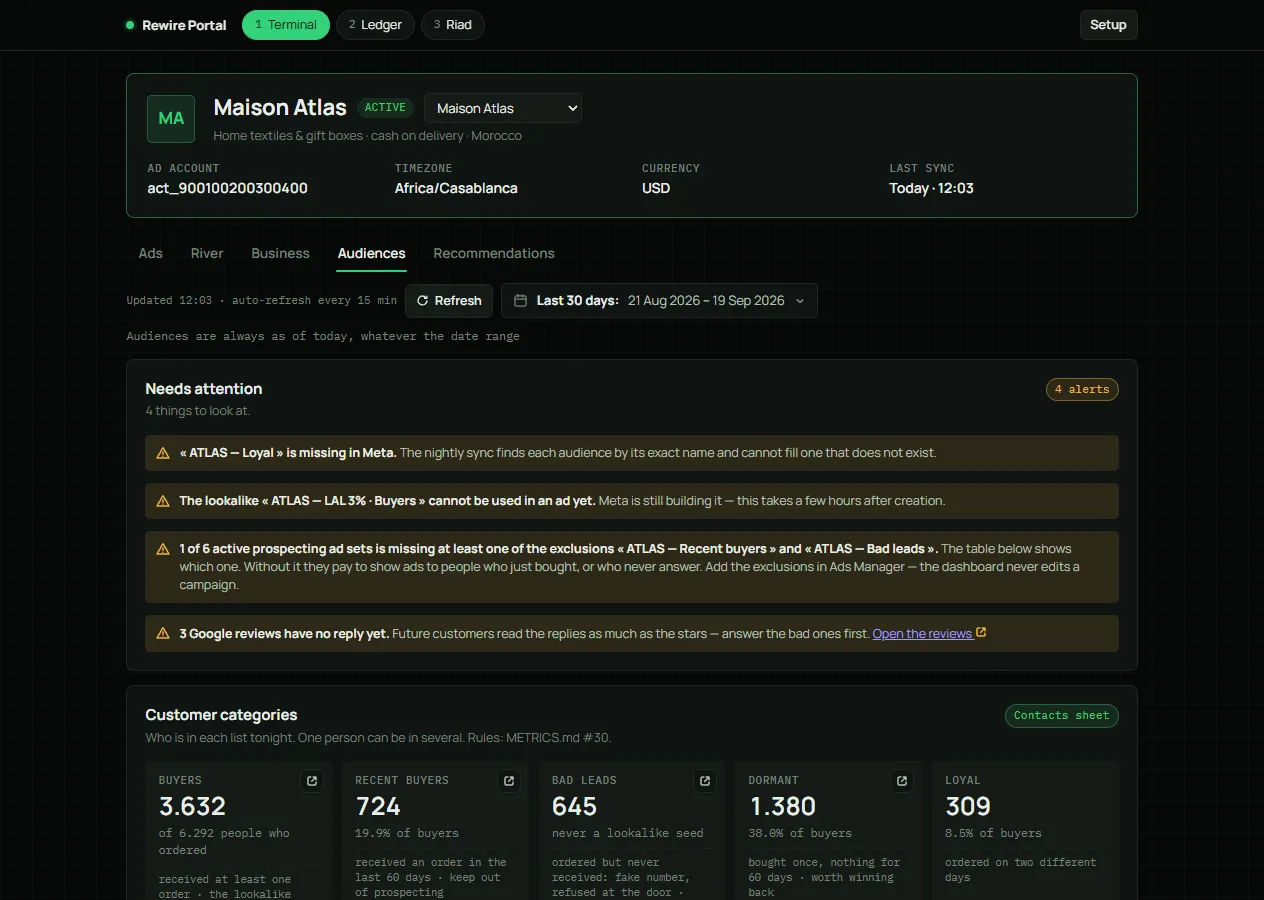
Are your buyer lists fresh, in Meta, and kept out of prospecting? Plus your Google rating and the reviews coming in.
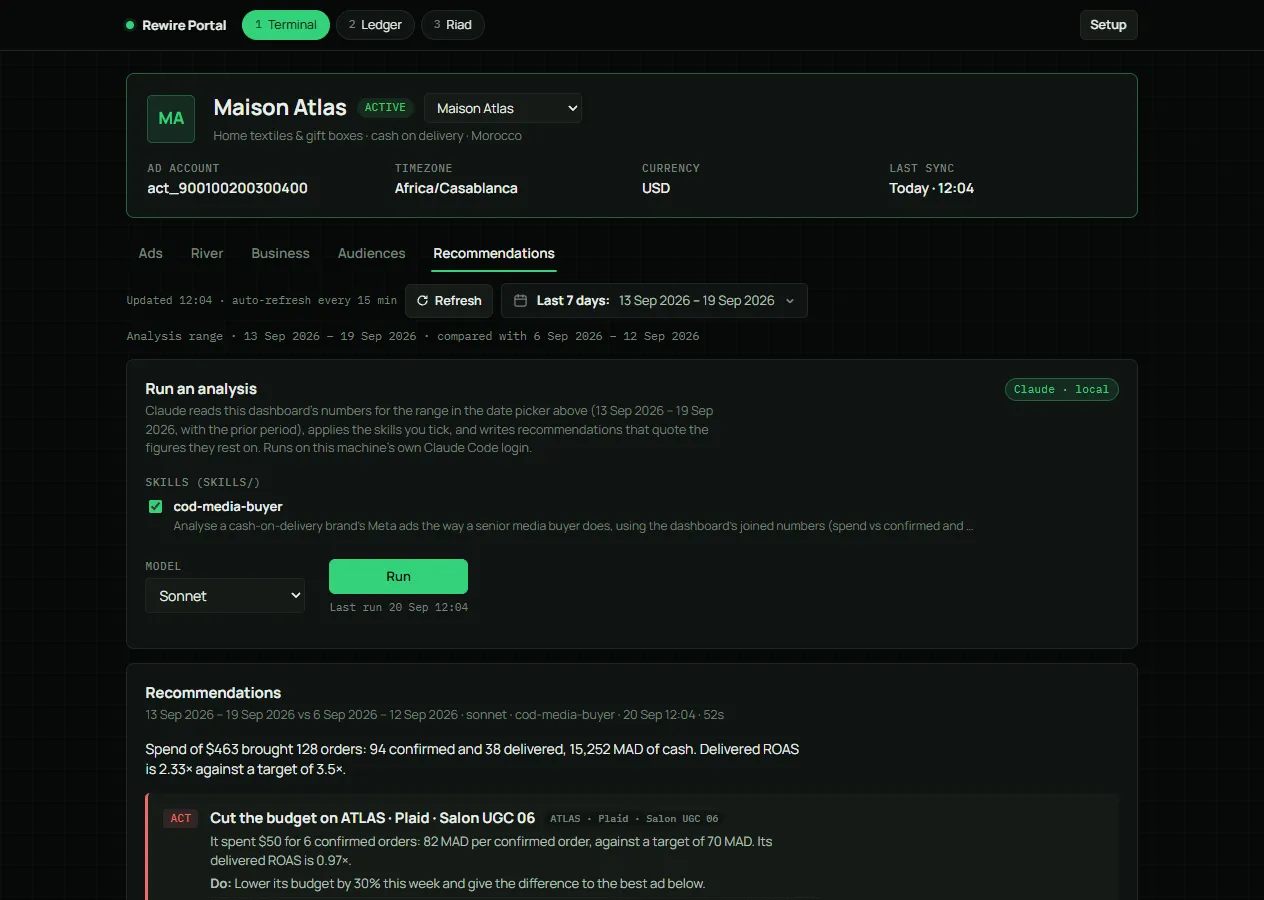
Claude reads the dashboard’s own numbers and says what to do this week, quoting every figure it relies on.
On your computer
The Portal runs on your own computer. No hosting, no login, no database to rent.
No names, no phones
Names, phones and addresses are removed before the dashboard sees an order. It only works with counts and amounts.
Read-only on Meta
The dashboard reads your ads; it can never change a campaign or a budget.
You don’t install anything alone. Rewire connects your order sheet and your Meta account, builds your customer lists, sets your targets with you from your own numbers, and shows you how to read the dashboard. What Rewire sets up for you →
Do I need to be technical? No. Rewire does the setup. Afterwards you open the dashboard and read it — this site explains every block in plain words.
Does it replace Ads Manager? No. You still run your ads in Ads Manager. The Portal reads them and adds what Meta can’t see: your orders.
What does it cost to run? The dashboard itself runs on your computer at no cost. The two features that use Claude need your own Claude subscription. If Rewire runs your automations for you, there is a monthly fee — ask us.
Who is it for? Brands that sell on cash on delivery, advertise on Meta, and keep their orders in a sheet.
Want to see it on your own numbers?
A free 30-minute call: tell us how you sell, we show you what The Portal would change.