
Getting started
What The Portal is
Section titled “What The Portal is”The Portal is a dashboard for brands that sell on cash on delivery and advertise on Meta (Facebook and Instagram). It puts two things side by side that normally live in two different places:
- what your ads cost, read from Meta;
- what really happened to the orders they brought, read from your order sheet: confirmed, delivered, returned, canceled.
So for every ad you see the cash it really brought, not only the forms people filled in.
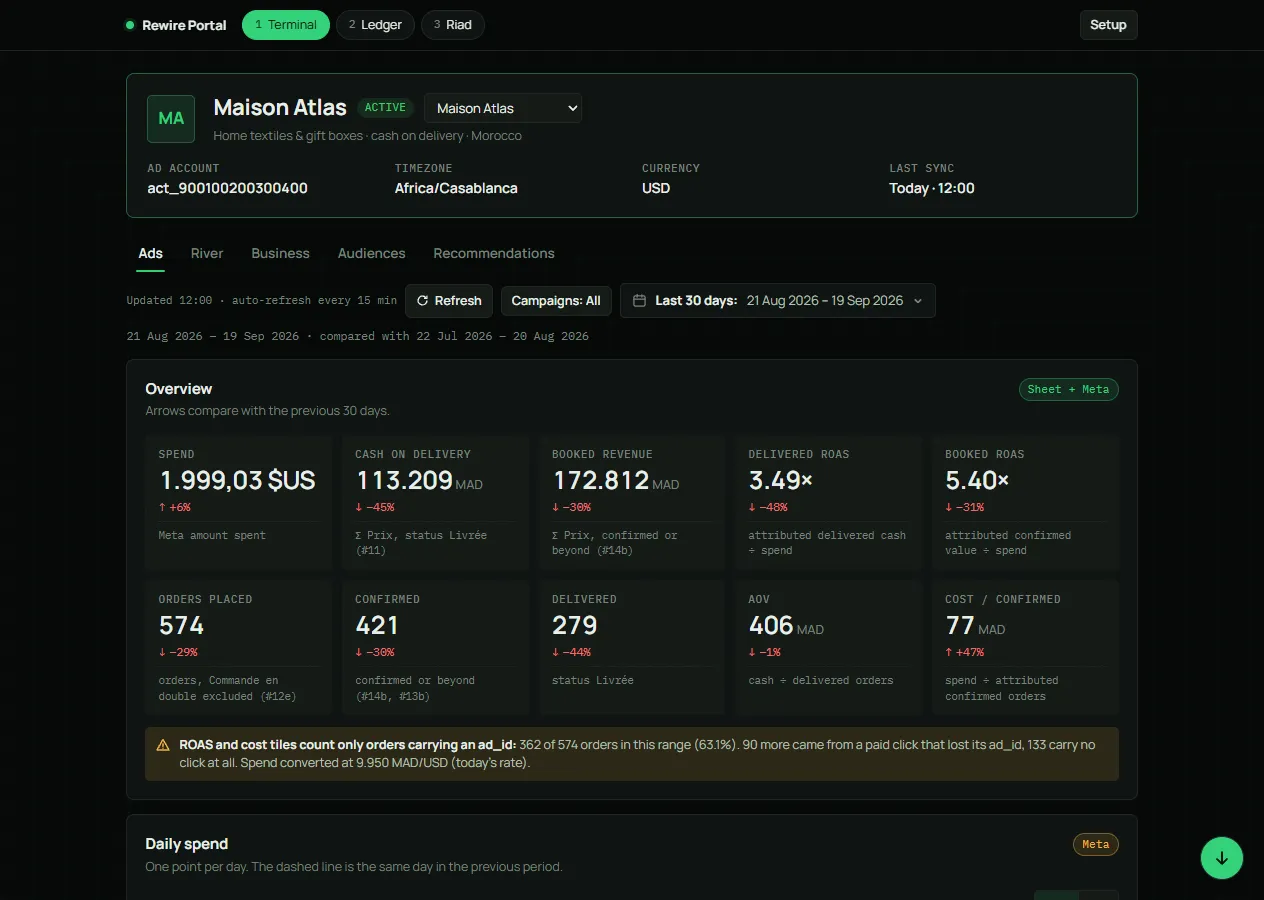 The Ads tab, for the made-up brand Maison Atlas.
It has five tabs:
| Tab | The question it answers |
|---|---|
| Ads | What did each ad really bring: orders placed, confirmed, delivered, and cash? |
| River | Where exactly does the path from the ad to the order break? |
| Business | What does my order sheet say: rates, cash, money still with the courier, lost orders? |
| Audiences | Are my customer lists fresh, in Meta, and kept out of prospecting? |
| Recommendations | What should I do this week? Claude reads the numbers and answers. |
How it works
Section titled “How it works”The Portal runs on your own computer. You open it in your browser, like a website, but nothing is hosted anywhere and there is no login.
- Meta: the dashboard reads your ads with a read-only key. It can never change a campaign or a budget.
- Your orders: a small automation reads your order sheet, removes every name, phone number, e-mail and address, and sends only what the dashboard needs: order number, date, status, price, city, product.
- Claude (optional): the Recommendations tab and the River’s Explain button run Claude on your computer, with your own Claude account.
What you need
Section titled “What you need”- A computer with Windows or macOS.
- A Meta ad account, and the right to create a read-only access key for it in Meta Business Settings. Setup → Meta shows how.
- Your orders in a sheet, with a status for each order (new, confirmed, delivered, canceled…). If your website saves the ad_id of the ad each order came from, the Portal can credit each order to its ad.
- A Claude subscription — only for the Recommendations tab and the River’s Explain. Everything else works without it.
What Rewire provides
Section titled “What Rewire provides”Rewire sets everything up with you: the automation that reads your order sheet, your customer lists, your targets, and the Setup page. You then read the dashboard. Details: What Rewire sets up for you.
- Install The Portal on your computer.
- Fill in the Setup page, section by section.
- Check one number: on the Ads tab, Last 7 days, the Spend tile must equal Ads Manager to the cent.