
Find the ads that lose money
Meta judges an ad on its order forms. On cash on delivery, part of those forms are never confirmed, and part of the confirmed parcels come back. An ad loses money when what it costs is more than the cash it really brings. Here is how to find those ads.
1. Pick a range that had time to be delivered
Section titled “1. Pick a range that had time to be delivered”Parcels take several days to arrive: the last week’s orders always look worse than they will be. Pick Last 30 days, or, for a strict check, a custom range that ends a week ago.
2. Sort every ad by what a confirmed order costs
Section titled “2. Sort every ad by what a confirmed order costs”- On the Ads tab, go down to All ads.
- With Columns, make sure you see Orders placed, Confirmed, Cost / confirmed, Delivered cash and Delivered ROAS.
- Click Cost / confirmed to sort, then click again to put the most expensive first.
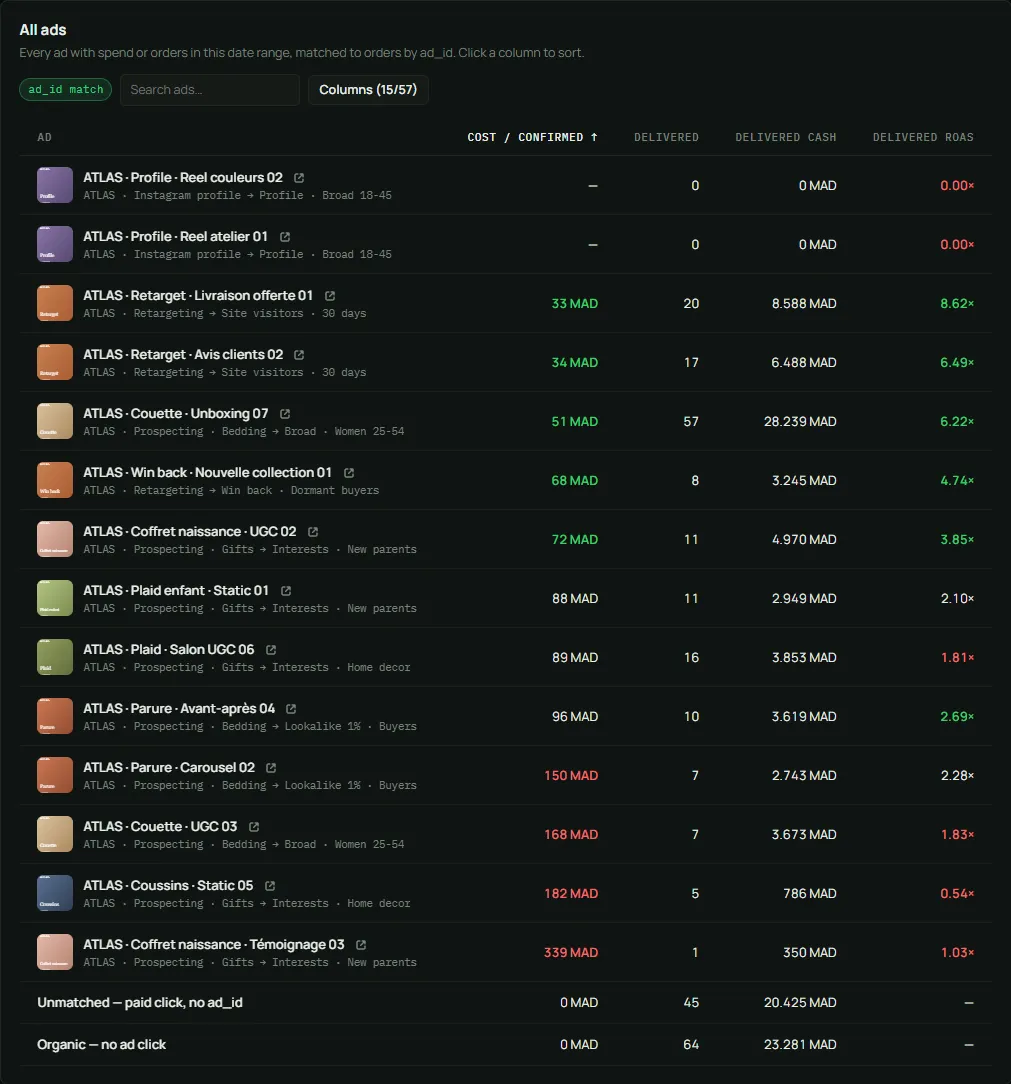
The colours do half the work: Cost / confirmed turns red when an ad is well above the middle ad, and Delivered ROAS turns red when it is well below. An ad red on both is your first suspect.
3. Check it has enough orders to judge
Section titled “3. Check it has enough orders to judge”A new ad, or one with three orders, can look terrible by chance. Don’t judge an ad:
- with fewer orders than your minimum (Maison Atlas: 8 orders);
- younger than your patience (Maison Atlas: 5 days).
Both are set in Setup → Recommendations.
4. Compare its two donuts
Section titled “4. Compare its two donuts”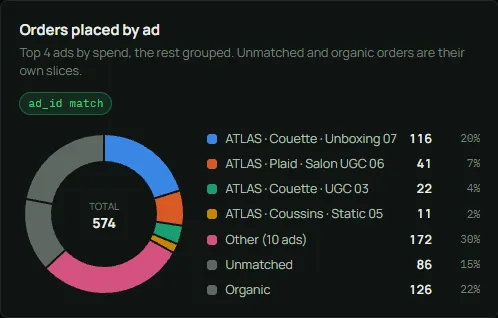
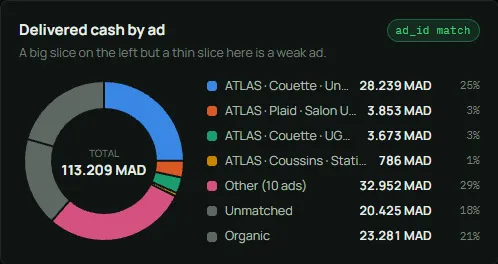
The same ad has a slice in both. A big slice of orders and a thin slice of cash means it brings orders that don’t turn into money: fake numbers, refusals at the door, or people who change their mind.
5. Check what it sells
Section titled “5. Check what it sells”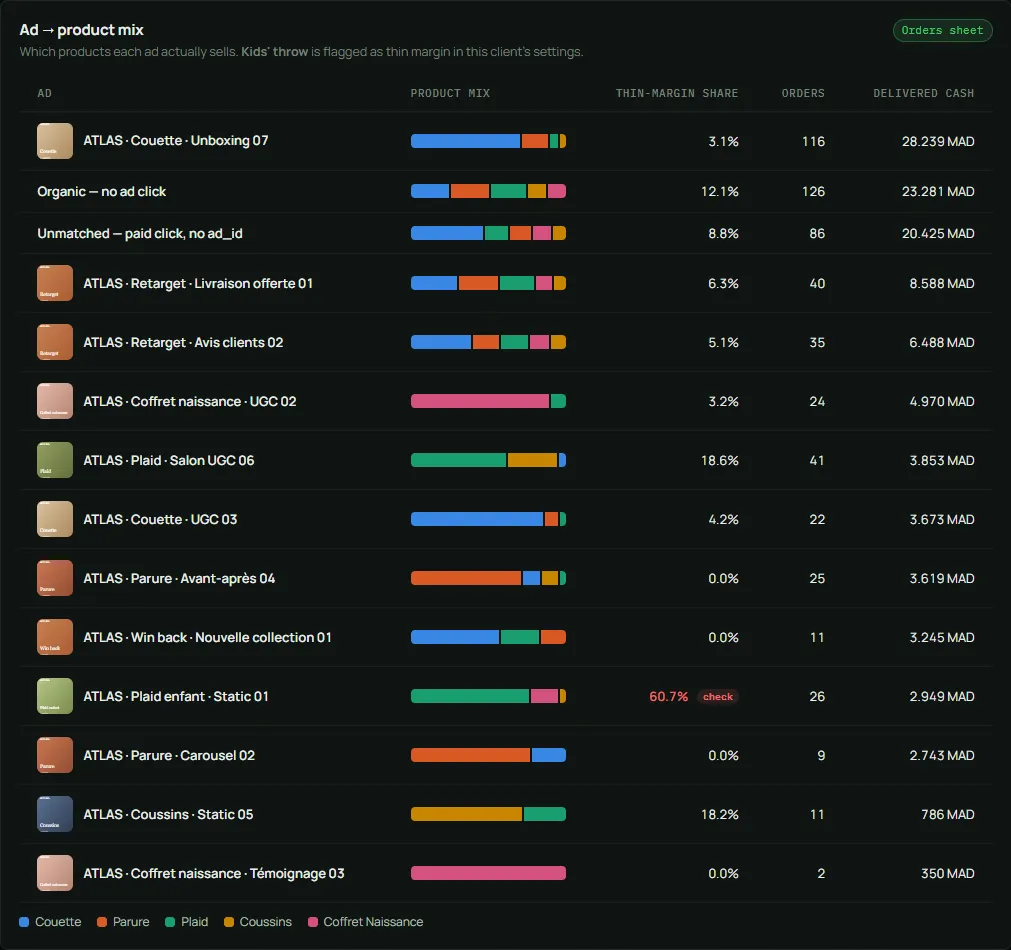
In Ad → product mix, a check tag means more than 35 % of what the ad sells has a thin margin. At Maison Atlas, Plaid enfant · Static 01 mostly sells kids’ throws: even with a good ROAS, it barely earns anything.
6. Before you cut
Section titled “6. Before you cut”Then act in Ads Manager — lower the budget, or turn the ad off. The dashboard only reads; it never changes a campaign.
Faster: ask Recommendations
Section titled “Faster: ask Recommendations”The Recommendations tab runs the same checks and names the ads in its ACT cards, with the numbers:
