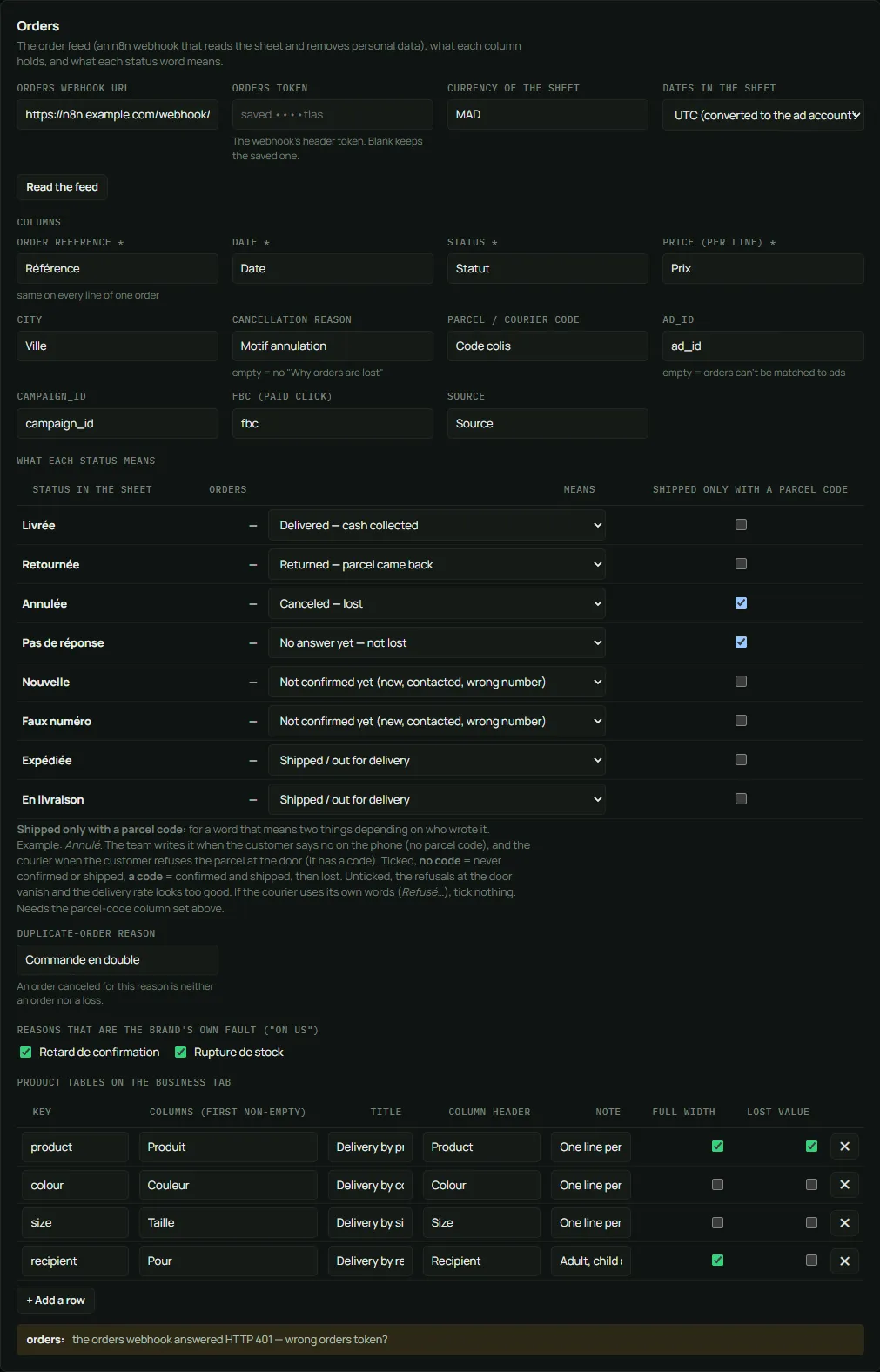
Orders
Your orders reach the dashboard through an order feed: an automation that reads your order sheet and removes every name, phone number, e-mail and address first. Rewire sets it up and gives you two things: its address and its key.
1. Connect the feed
Section titled “1. Connect the feed”| Field | What to put |
|---|---|
| Orders webhook URL | the feed’s address, from Rewire |
| Orders token | the feed’s key, from Rewire. Empty later = keep the saved one |
| Currency of the sheet | the currency of your prices: MAD, EUR… |
| Dates in the sheet | whether the dates in your sheet are in world time (UTC) or already in your local time. Rewire tells you which. |
Press Read the feed. The Portal reads it and lists how many rows it holds and every column it found.
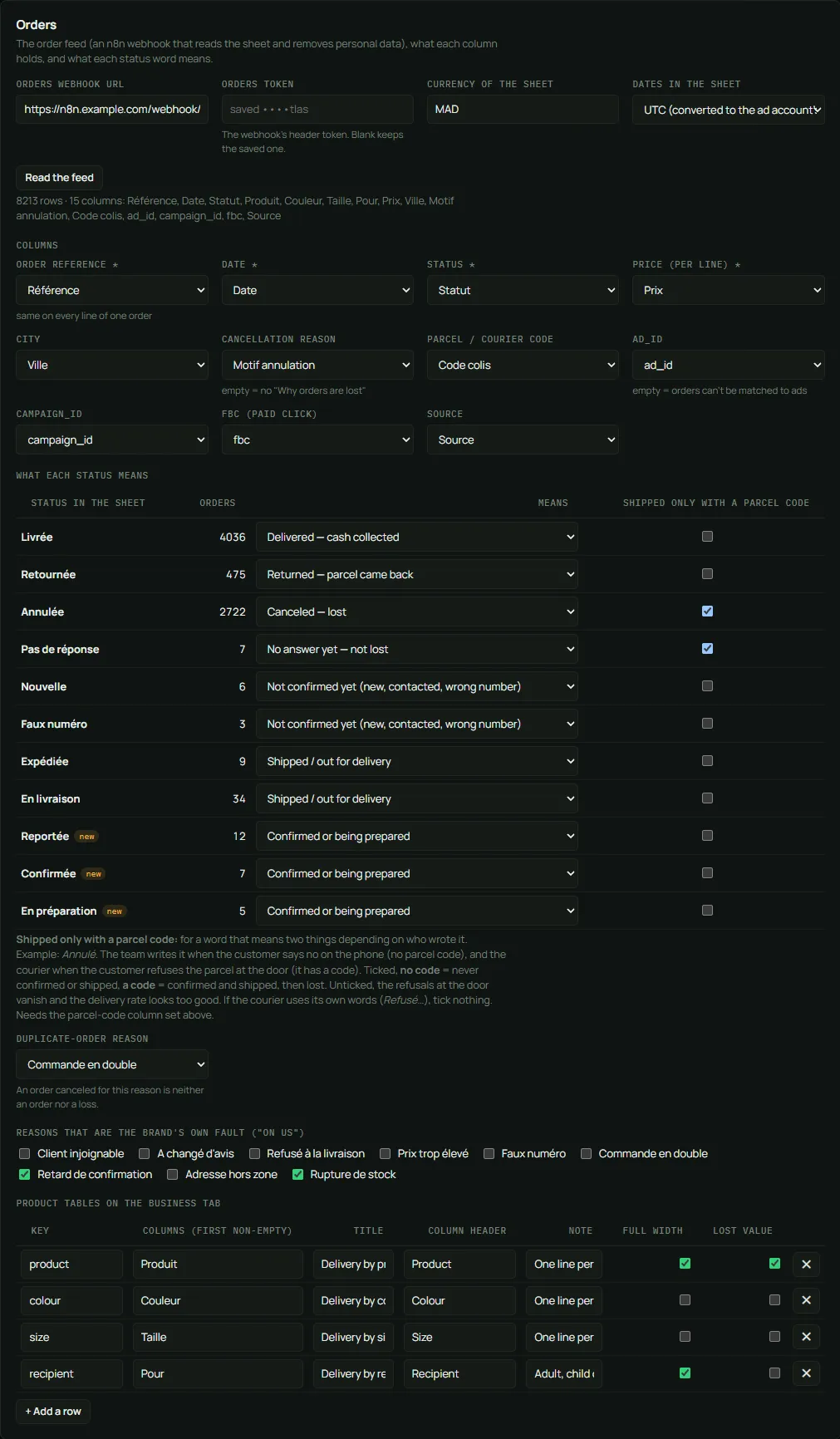 Maison Atlas: 8,213 rows and 15 columns. The rest of the section fills itself from what the feed holds.
2. Say which column holds what
Section titled “2. Say which column holds what”Four are required (marked *), the others unlock parts of the dashboard:
| Column | Why it matters |
|---|---|
| Order reference * | the order number. An order on two lines (two pieces) has the same reference on both. |
| Date * | the order date. Every date range on the dashboard filters on it. |
| Status * | where the order is: new, confirmed, delivered… |
| Price (per line) * | the price of each line. An order on two lines adds up its two prices. |
| City | the Delivery by city table |
| Cancellation reason | the Why orders are lost chart. Empty = no chart. |
| Parcel / courier code | the courier’s tracking code — needed for the tick in step 3 |
| ad_id | the ad each order came from. Empty = orders can’t be matched to ads, and every per-ad order number disappears. |
| campaign_id | the campaign each order came from |
| fbc (paid click) | the paid-click marker |
| Source | where the order came from (Instagram, WhatsApp…) |
3. What each status means
Section titled “3. What each status means”The table lists every word found in your status column, with its number of orders. For each one, pick what it means:
| Meaning | For words like |
|---|---|
| Delivered — cash collected | Livrée |
| Returned — parcel came back | Retournée |
| Canceled — lost | Annulée |
| Shipped / out for delivery | Expédiée, En livraison |
| Confirmed or being prepared | Confirmée, En préparation, Reportée |
| Not confirmed yet | Nouvelle, Faux numéro |
| No answer yet — not lost | Pas de réponse |
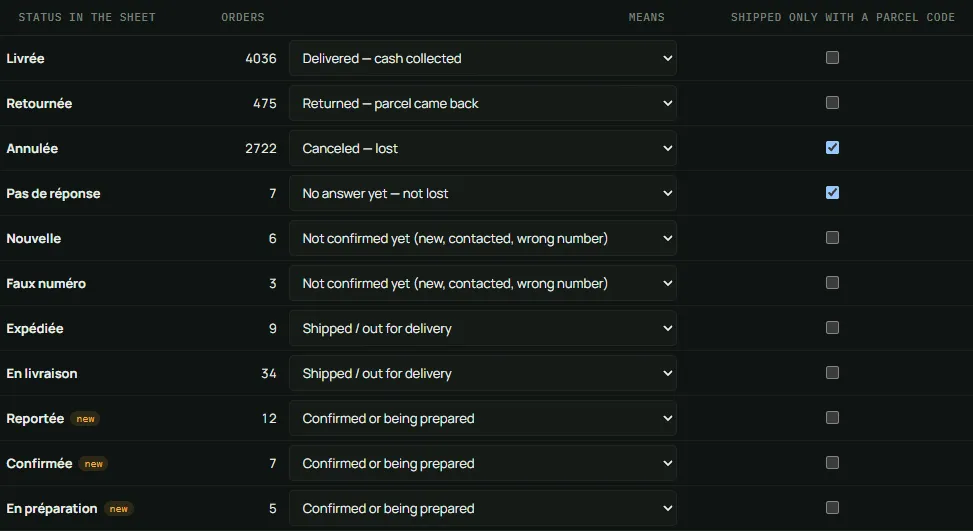 A word tagged new was found in the feed but has no meaning set yet: until you choose, it counts as confirmed.
Shipped only with a parcel code
Section titled “Shipped only with a parcel code”Tick this for a word that means two things depending on who wrote it. At Maison Atlas, Annulée:
- the team writes it when the customer says no on the phone. No parcel left, so no parcel code: the order was never confirmed or shipped;
- the courier writes it when the customer refuses the parcel at the door. The parcel had left, so it has a code: the order was confirmed and shipped, then lost.
Ticked, the Portal looks at the parcel-code column to tell the two apart. Left unticked, the refusals at the door vanish from the shipped orders and the delivery rate looks better than it is. Maison Atlas also ticks Pas de réponse: from the team it means the customer didn’t answer the confirmation call; from the courier, that they didn’t answer the delivery man.
If your courier uses its own words (Refusé…), tick nothing. The tick needs the Parcel / courier code column set in step 2.
4. Reasons
Section titled “4. Reasons”- Duplicate-order reason: the cancellation reason your team uses when someone ordered twice. Those orders become duplicates: neither an order nor a loss.
- Reasons that are the brand’s own fault (“on us”): tick the cancellation reasons that come from you, not from the customer — at Maison Atlas, Retard de confirmation (called too late) and Rupture de stock (out of stock). They get an on us tag in Why orders are lost.
5. Product tables
Section titled “5. Product tables”One table per product column you want on the Business tab: product, colour, size… Each row:
| Column | What it is |
|---|---|
| Key | a short name without spaces: product, colour |
| Columns (first non-empty) | the column(s) of your sheet it reads; with several, the first one that is filled wins |
| Title and Column header | what the Business tab shows: Delivery by colour, Colour |
| Note | one line under the title |
| Full width | the table takes the whole width instead of half |
| Lost value | adds a column with the value of the lost orders |
Press + Add a row for another table, ✕ to remove one.
If the feed refuses
Section titled “If the feed refuses”A 401 or 403 means the orders key is wrong: ask Rewire for the right one.