
The Setup page
The Setup page holds everything the dashboard knows about your business: your Meta account, your order feed, what your status words mean, your targets. Rewire fills it with you the first time; afterwards you only come back when something changes.
Open it with the Setup button, top right of the dashboard.

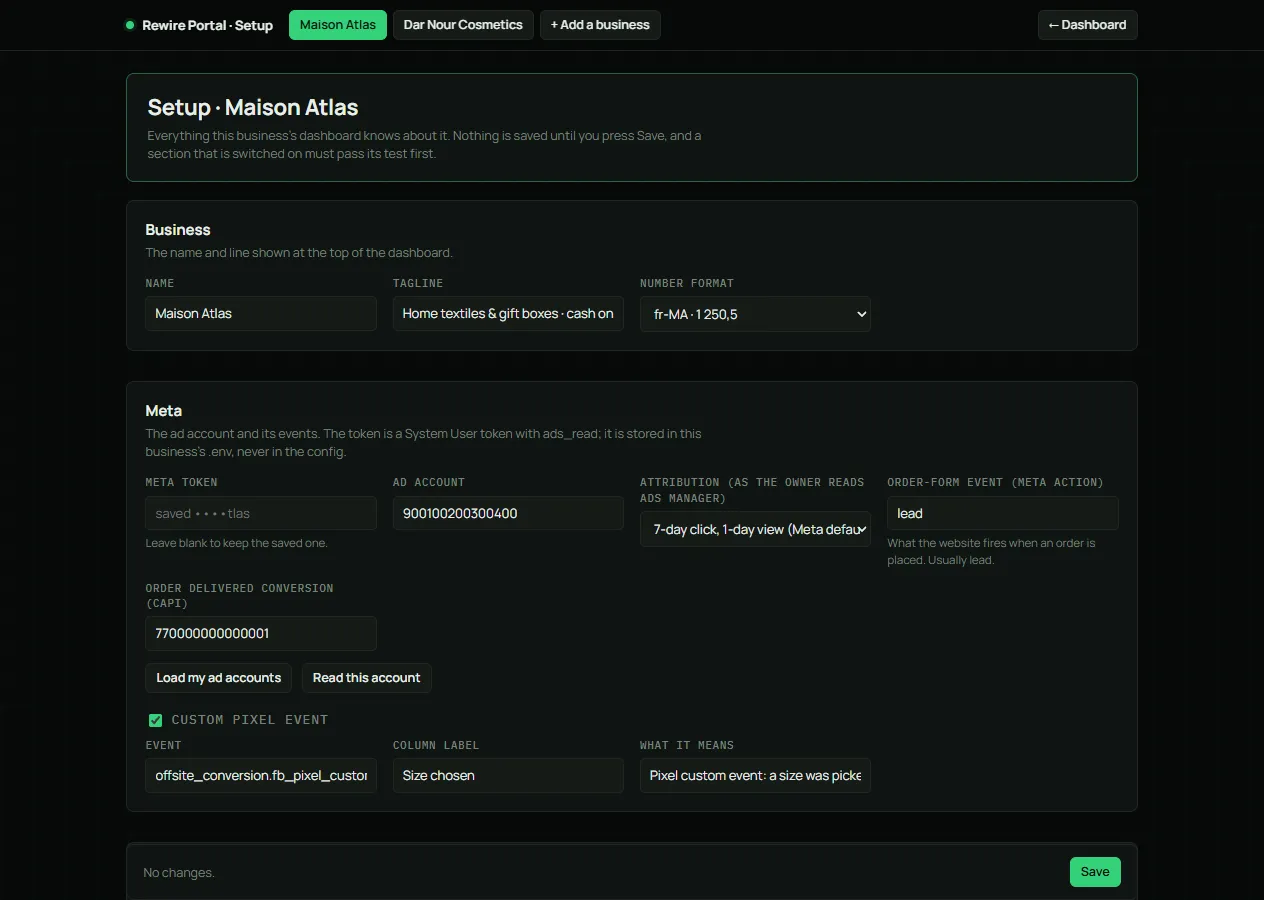 The Setup page: one section per part of the business.
The sections
Section titled “The sections”| Section | What it holds |
|---|---|
| Business | the name and line at the top of the dashboard |
| Meta | your ad account, its read-only key and its events |
| Orders | the order feed, its columns, and what each status word means |
| Courier | your delivery company and its price per city |
| Pack mix | which products each ad sells, and the thin-margin ones |
| Audiences | your customer lists, their copies in Meta, your Google reviews |
| River | your website’s steps from arrival to order, and their targets |
| Recommendations | your targets and alerts, which Claude and the tab check against |
Switching a section off
Section titled “Switching a section off”Courier, Pack mix, Audiences and River have an On / Off switch. Off, that part of the dashboard is hidden — useful when a business has no courier price list, or no customer lists yet. Switching it back on brings back what you had filled in.

Saving
Section titled “Saving”Nothing is saved until you press Save, at the bottom of the page. Before saving, the Portal checks two things:
-
That nothing required is missing. If a field is empty or wrong, nothing is saved and the list says what to fix.

-
That every section switched on really works. It reads your Meta account and your order feed with the values you typed. If a service refuses, nothing is saved and you see which one and why.
 Here the order feed answered “401”: the orders key is wrong.
When everything passes, the business restarts on its new settings in about a second. Lines under Worth a look are not errors: they point at something you may want to check.
 Saved. The first note says spend is converted from dollars to dirhams; the second lists status words with no meaning set yet — see Orders.
After the first save
Section titled “After the first save”Open the dashboard, go to the Ads tab, pick Last 7 days: the Spend tile must equal Ads Manager to the cent. If it doesn’t, the ad account or the attribution setting in Meta is wrong.