Pack mix
Two ads can have the same ROAS and sell very different things. This section tells the Portal which product column to look at, so the Ads tab can show what each ad really sells — and warn you when an ad mostly sells a thin-margin product.
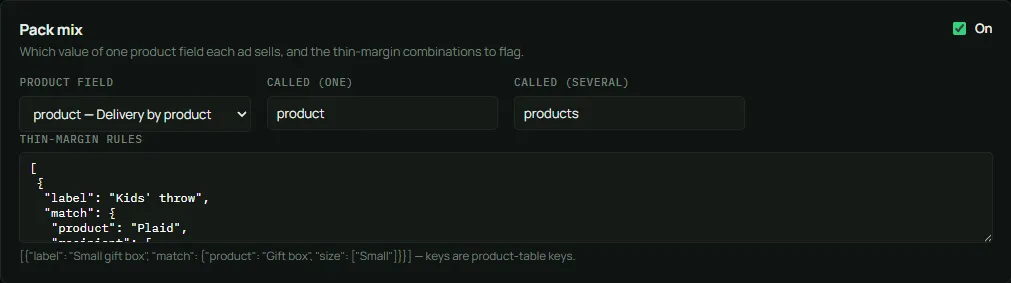
| Field | What to put |
|---|---|
| Product field | one of the product tables set in Orders — usually the product, or the pack |
| Called (one) / Called (several) | how the dashboard names it: product / products, pack / packs |
| Thin-margin rules | the combinations you earn little on (see below) |
Thin-margin rules
Section titled “Thin-margin rules”Each rule has a label and what it matches, using the keys of your product tables. Maison Atlas earns little on kids’ throws, so its rule is:
[{ "label": "Kids' throw", "match": { "product": "Plaid", "recipient": ["Enfant"] } }]Read it as: a piece whose product is Plaid and whose recipient is Enfant is a “Kids’ throw”. Rewire writes these rules with you.
The result
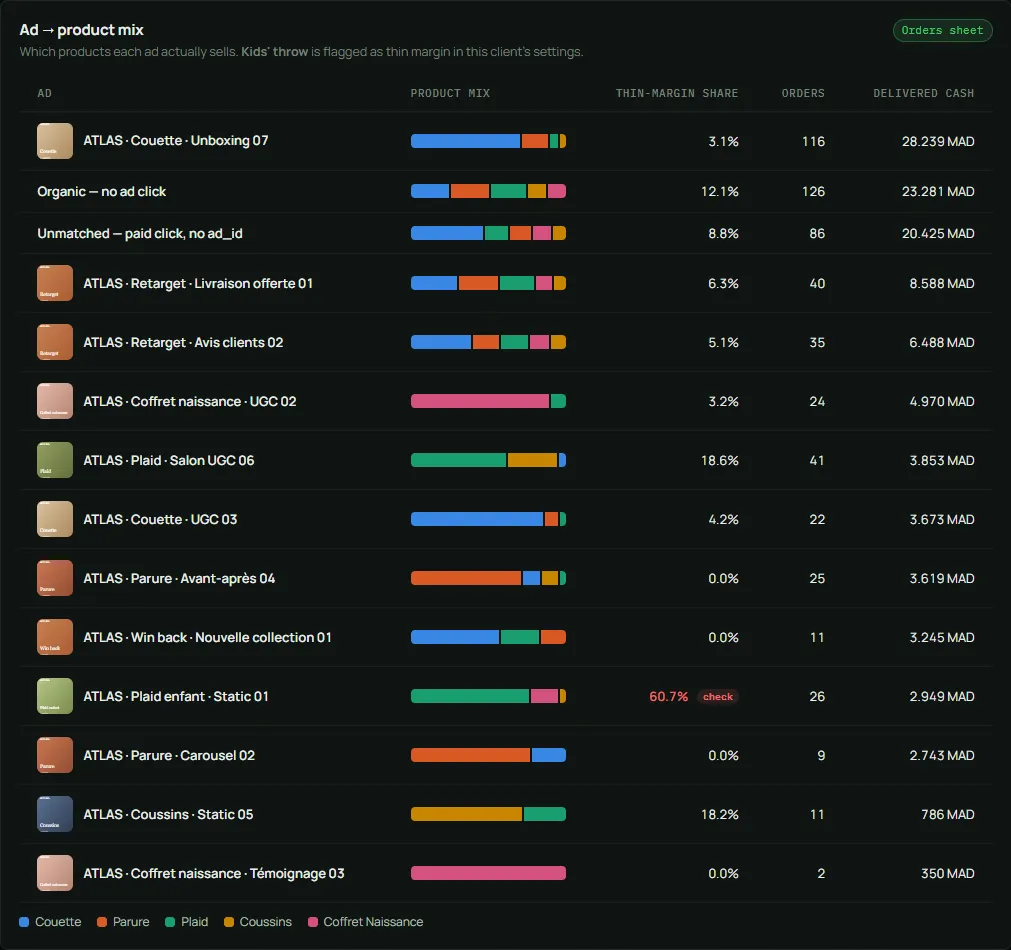
Section titled “The result”On the Ads tab, the block Ad → product mix shows, for each ad, the share of each product it sold. When thin-margin pieces are more than 35 % of an ad’s sales, it gets a check tag — and the Recommendations tab checks the same rule.