
Run and read a Recommendations analysis
The Recommendations tab asks Claude to read the dashboard’s numbers like a senior media buyer and say what to do this week. You need Claude installed and logged in on this computer (installation).
Run it
Section titled “Run it”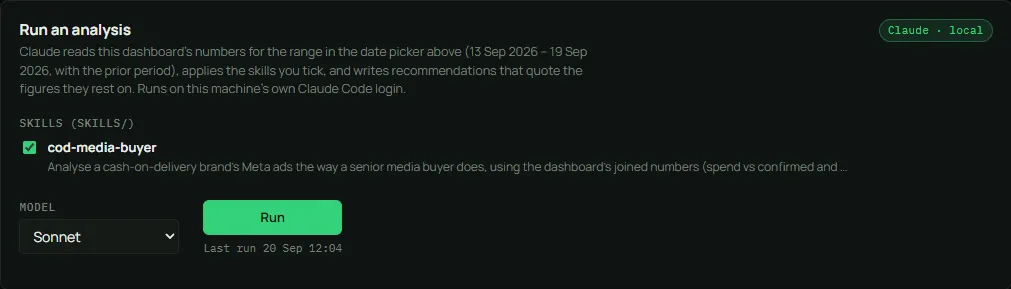
- Check the range. This tab has its own: Last 7 days by default, compared with the 7 days before. Once a week is a good rhythm.
- Tick the skills to use — the written method Claude follows.
- Pick a model. Sonnet is a good default; Opus thinks longer, Haiku is quicker.
- Press Run. It takes one to three minutes; you can use the other tabs meanwhile.
Read it
Section titled “Read it”- The summary — two or three sentences on the week. Read it first.
- ACT cards — to do this week. Each ends with Do: one concrete action.
- WATCH cards — not yet a problem; look again next week.
- GOOD cards — it works; don’t touch it.

Check it
Section titled “Check it”Then read Rules checked: the same numbers run through fixed rules and your own targets. A rule that fired and has no card deserves a look.
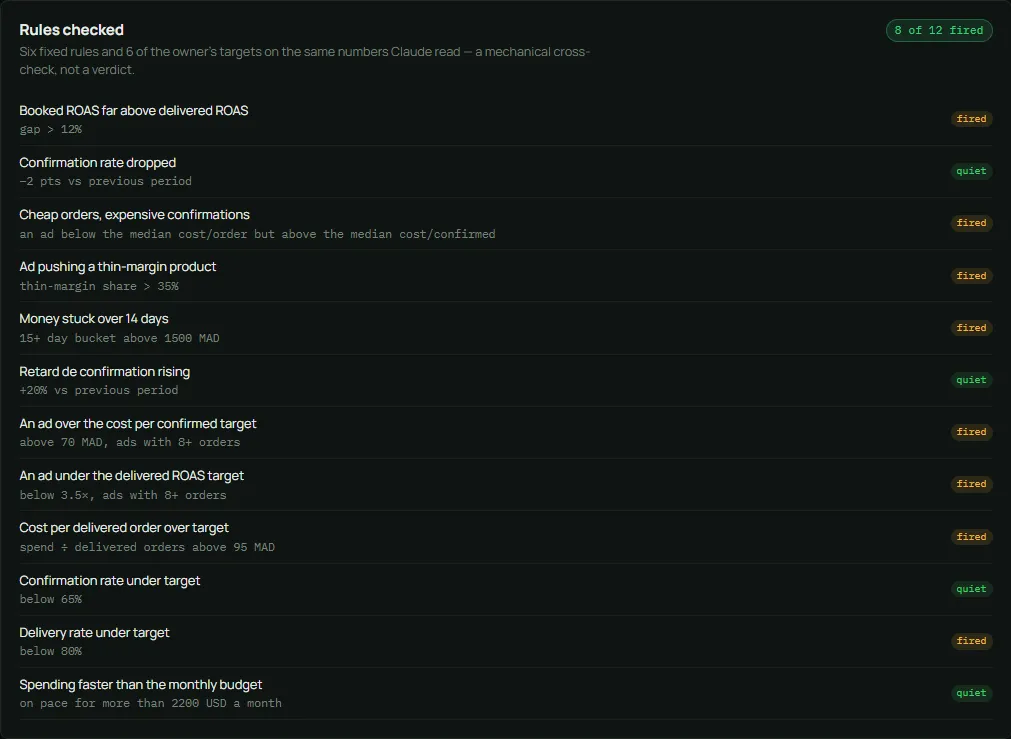
Compare with last week
Section titled “Compare with last week”Every analysis is kept. Show opens an older one: did last week’s ACT card get done, and did it change anything?
If the run fails, the card says why — see Troubleshooting.