
Recommendations
The Recommendations tab asks Claude to read the dashboard’s numbers the way a senior media buyer would, and to say what to do this week. It runs on your computer, with your own Claude account (installation). Claude only reads: the numbers of the range, your targets and your media plan. It never sees a customer.
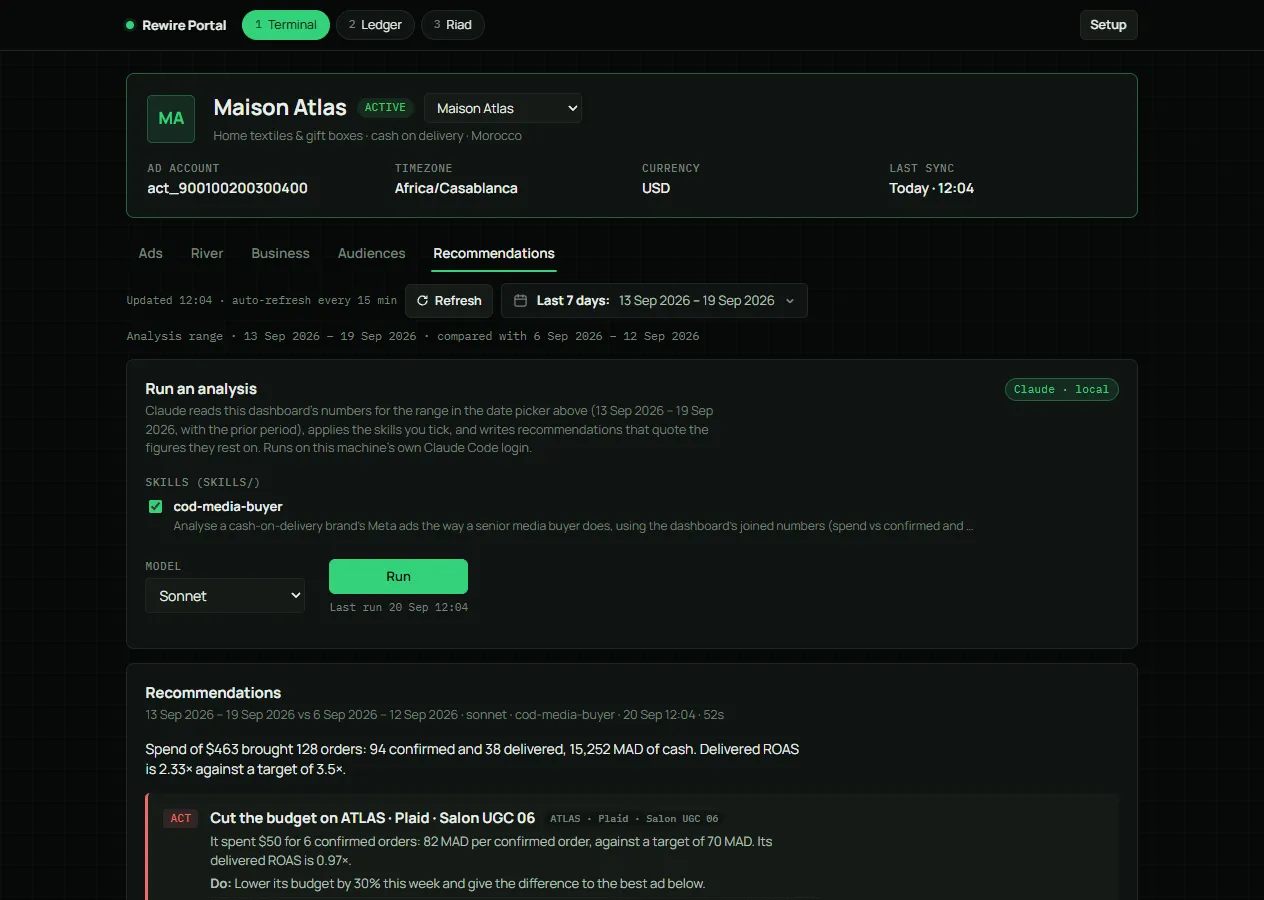
Run an analysis
Section titled “Run an analysis”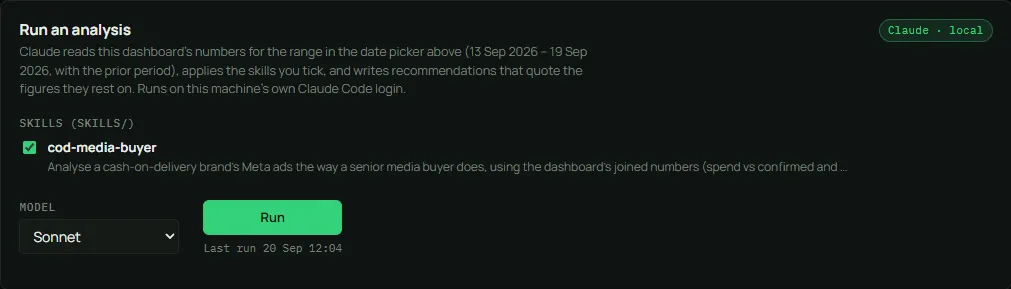
What it shows. What the next analysis will use:
- The range: this tab has its own date range, separate from the other tabs — Last 7 days by default, compared with the 7 days before. Change it with the date button; there, the button says Run and starts the analysis at once.
- Skills: the skills Claude applies — the written method of how to analyse. Tick the ones to use.
- Model: Opus, Sonnet or Haiku. Sonnet is a good default.
- Run: starts the analysis. Under it, when the last one ran.
Before the first analysis, the tab simply says so:
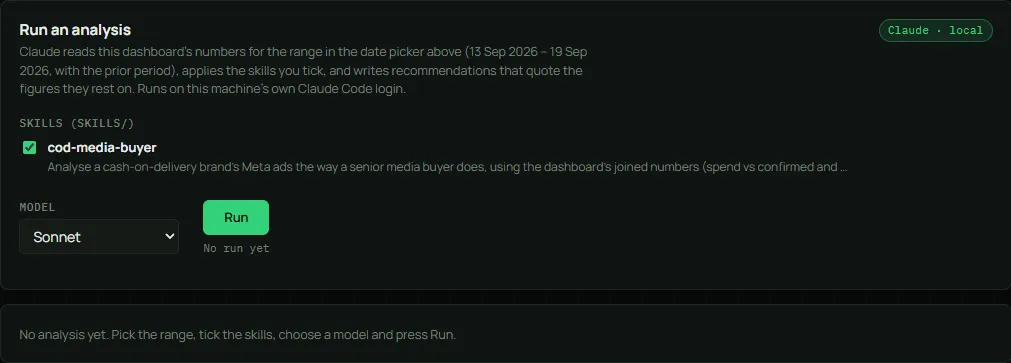
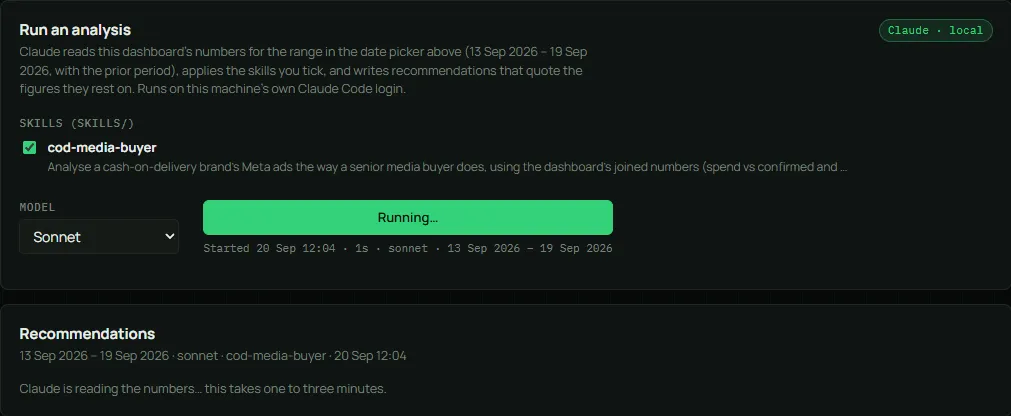
While Claude works — one to three minutes — the button says Running…:
Recommendations
Section titled “Recommendations”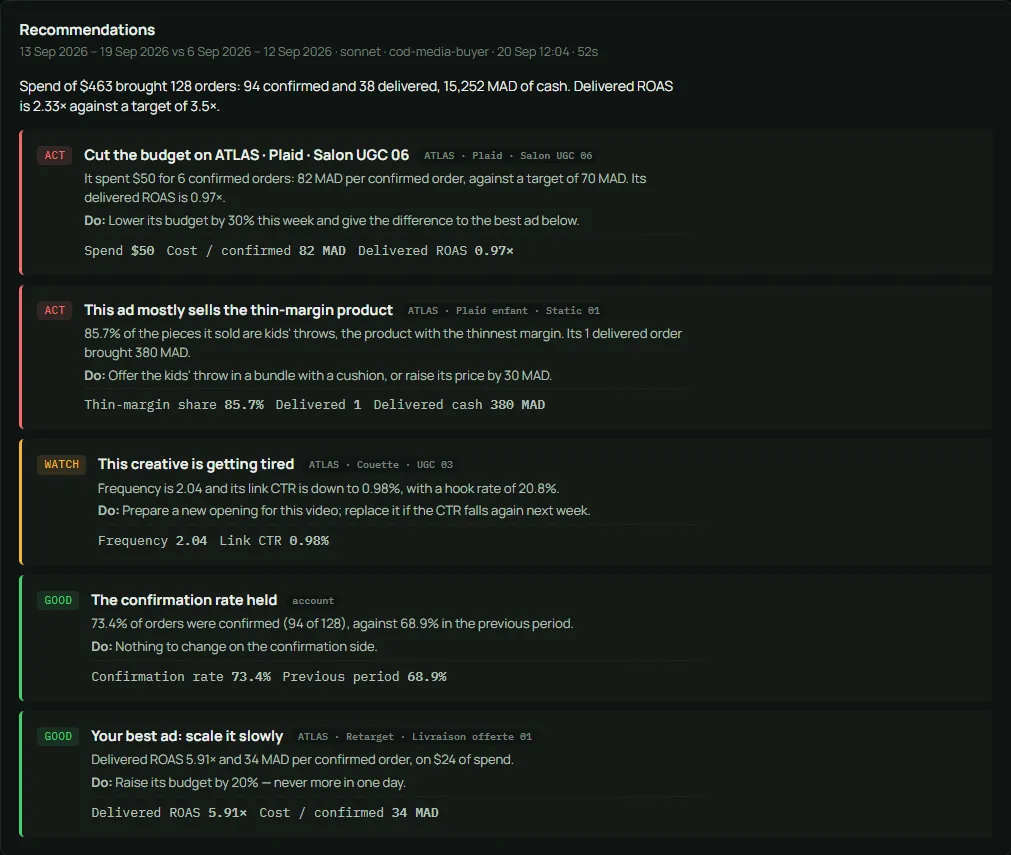
What it shows. On top, the range compared, the model, the skills, when it ran and how long it took. Show picks an older analysis: every run is kept. Then a two- or three-sentence summary of the period, and 3 to 7 cards, the sharpest first.
How to read a card. Each one has:
- a tag: ACT — do this week; WATCH — keep an eye on it; GOOD — it works, don’t touch it;
- a headline, and what it is about (an ad, an ad set, a campaign, or the account);
- the explanation, quoting the exact numbers it relies on;
- Do: one concrete action;
- at the bottom, the figures the card rests on.



Why you can trust the numbers. Claude receives only the dashboard’s own figures, and must quote them. An answer where a card quotes no number is refused, and the run shows as failed.
Rules checked
Section titled “Rules checked”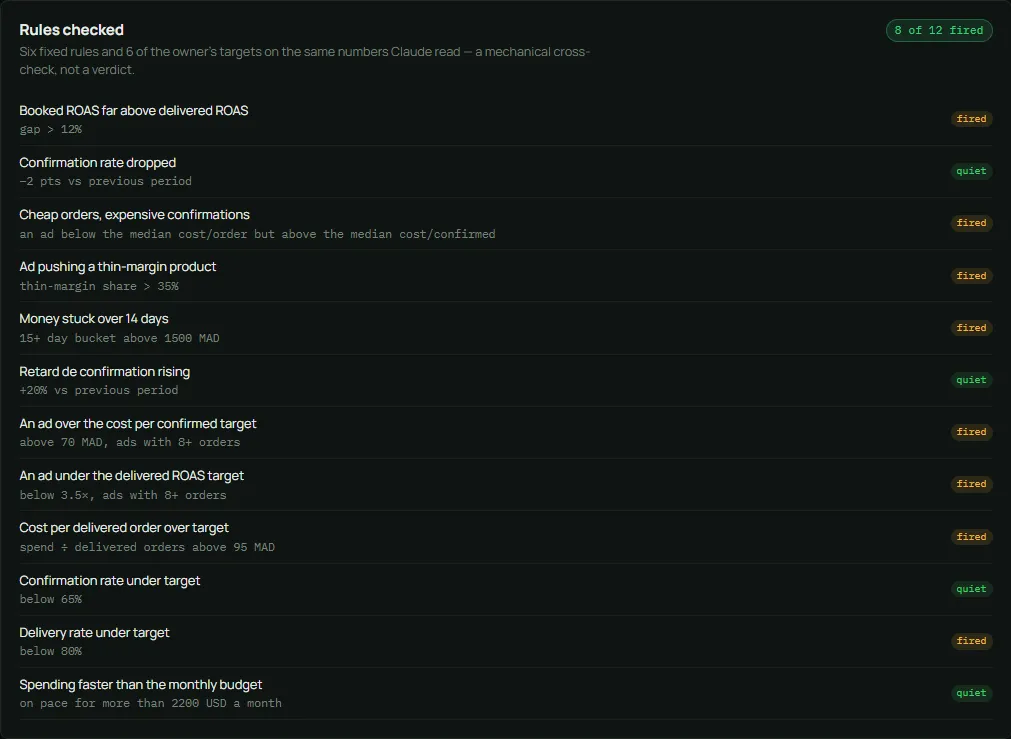
What it shows. A mechanical cross-check on the same numbers Claude read: each rule is fired or quiet. It is not a verdict — a second pair of eyes that never gets tired.
| Rule | Fires when |
|---|---|
| Booked ROAS far above delivered ROAS | the gap is more than 12 % |
| Confirmation rate dropped | 2 points or more below the previous period |
| Cheap orders, expensive confirmations | an ad is cheaper than the middle ad per order, but more expensive per confirmed order |
| Ad pushing a thin-margin product | more than 35 % of an ad’s pieces are thin-margin |
| Money stuck over 14 days | the 15+ days money is above your alert |
| (your watched reason) rising | it rose by more than 20 % |
| An ad over the cost per confirmed target | for an ad with enough orders to judge |
| An ad under the delivered ROAS target | same |
| Cost per delivered order over target | for the whole account |
| Confirmation rate under target | same |
| Delivery rate under target | same |
| Spending faster than the monthly budget | on pace for more than 110 % of it |
The first six are fixed rules; the others are your own targets. A rule you haven’t set up is not checked.
If a run fails
Section titled “If a run fails”
The card says why. Here Claude isn’t logged in on this computer: open a terminal, type claude, log in, and run again.